0%

Lately, there’s been a real surge in the need for better ways to keep track of keys securely. That’s where an Electronic Key Cabinet can really come in handy. It gives businesses peace of mind, knowing their keys are both safe and accessible when needed. John Smith, a top expert over at KeySecure Solutions, puts it nicely: "Electronic Key Cabinets totally change the game when it comes to managing access."

These cabinets use pretty advanced tech — think electronic locks and tracking systems — to keep tabs on your keys. You can open them using personal codes or RFID cards, which is pretty handy. It definitely cuts down on human errors, but let’s be real — they’re not perfect. Sometimes keys still get misplaced, and that can cause a headache.

On top of that, some companies tend to overlook the importance of regular upkeep. Neglecting maintenance can actually shorten the lifespan of the cabinet and cause operational issues. So, it’s a good idea for leaders to take a step back and ask themselves: Are our current key management strategies truly secure and efficient? More often than not, the answer comes down to embracing modern solutions and staying one step ahead.

What is an Electronic Key Cabinet and How Does it Work?

What is an Electronic Key Cabinet?

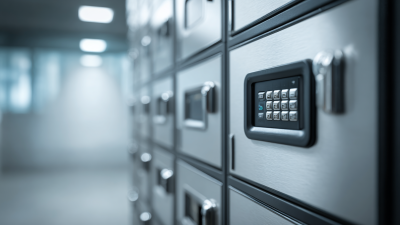
An electronic key cabinet is a smart storage solution for keys. It combines the physical security of a traditional key cabinet with advanced technology. This device often features an electronic locking mechanism, allowing access only to authorized personnel. Users enter a code or use a keycard to unlock it. This enhances security significantly compared to a standard key holder.

These cabinets can house multiple keys, organized neatly. Each key is usually attached to a numbered key fob, making retrieval straightforward. Some models are equipped with LED lights to guide users in low-light conditions. It’s not just about storage; it’s about management. Tracking which keys are checked out is essential for many organizations. However, flaws can arise in tracking systems, leading to confusion or misplaced keys.

When keys are not returned on time, access to restricted areas can be delayed. An electronic key cabinet should provide alerts for overdue keys. It’s also vital to ensure that staff is well-trained on the device's operation. Miscommunication can occur if users are not familiar with the system. Ultimately, while offering great benefits, electronic key cabinets require regular oversight and user compliance to function effectively.

Key Cabinet Components and Features

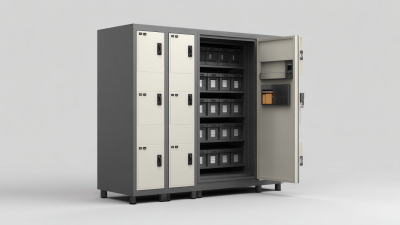
Electronic key cabinets play a vital role in secure key management. They are designed with several components that enhance both security and accessibility. A typical cabinet includes a solid outer shell, inner compartments, and a locking mechanism. The locking system often utilizes electronic keypads for access control. Each key is tagged for easy identification. This helps users locate keys quickly.

The features of electronic key cabinets vary. Some come with alarm systems, alerting users to unauthorized access attempts. Others include an audit trail, capturing who accessed the cabinet and when. A digital display can provide vital information at a glance, but sometimes the interface can be confusing. Users may struggle to navigate through the options.

Consider the size and capacity of the cabinet based on your needs. Larger models offer more space but can be cumbersome. Smaller cabinets save space but might lack room for future expansion. Reflecting on these details can lead to a better choice. Electronic key cabinets are valuable tools, yet they require careful thought in selection and installation.

How Electronic Key Cabinets Enhance Security

What is an Electronic Key Cabinet and How Does it Work?

Electronic key cabinets are crucial for managing access to keys securely. These cabinets use advanced technology to control who can access specific keys. This enhances security significantly for businesses, especially those in sectors like hospitality, healthcare, and transportation. According to a recent industry report, businesses that implemented electronic key management saw a 30% reduction in lost keys.

Ensuring only authorized personnel can access keys minimizes the risk of theft or unauthorized entry. Some cabinets allow for real-time monitoring, providing logs of when keys are taken and returned. In a study by a leading security firm, 70% of respondents noted improved accountability in key usage after adopting electronic systems. However, the initial costs can deter some businesses. Balancing budget constraints with security needs often leads to tough decisions.

Moreover, user error remains a concern. Improperly managing access permissions can lead to issues. Facilities may face challenges when training staff on using these systems. It's crucial to create a systematic approach to enhance the overall effectiveness of the key cabinet. Ultimately, investing in electronic key cabinets offers a sturdy framework for securing valuable assets.

Access Control Mechanisms in Key Cabinets

Access control mechanisms are crucial in electronic key cabinets. These systems manage who can access stored keys. They often use keypads or biometric scanners. These features ensure only authorized individuals can retrieve keys.

When a user approaches the cabinet, they must input a code or scan a fingerprint. If verified, the door unlocks. This process happens quickly. However, it can also fail. For example, a forgotten code or a dirty scanner can cause delays. Such issues require careful attention to detail and regular maintenance.

Some cabinets track key usage. Knowing who accessed which key helps improve accountability. Yet, this system can be flawed. If logs are not monitored regularly, unauthorized access might go unnoticed. This highlights the importance of frequent audits and user training. Electronic key cabinets are efficient, but reliance on technology may create vulnerabilities.

Installation and Setup Process for Key Cabinets

Installing an electronic key cabinet requires careful planning. First, choose a location with easy access but also offers security. Ensure the area has a power source for the locking mechanism. Measure the space accurately to avoid issues during installation.

The setup process typically involves mounting the cabinet securely. Use appropriate tools like screws and anchors. Attach the electronic lock to the cabinet, following the manufacturer’s guidelines. Program the lock with user access codes. Testing the lock ensures it functions correctly before storing keys.

Tips: Before installation, assess the security needs of your environment. Inexperienced installers may overlook important details. Keep the wiring tidy to prevent future troubleshooting. It's also wise to review system updates regularly. Doing so can keep your electronic key cabinet functioning optimally.

What is an Electronic Key Cabinet and How Does it Work? - Installation and Setup Process for Key Cabinets

Feature Description Benefits
Secure Storage Designed to safely store keys and access control cards. Prevents unauthorized access and increases security.
Access Control Utilizes keypad or card entry systems for authorized personnel. Ensures that only authorized individuals can access the keys.
Audit Trail Records entries and exits of users accessing the cabinet. Provides accountability and tracking of key usage.
User Management Allows addition and removal of users through software. Facilitates easy management of permissions and access levels.
Installation Typically wall-mounted or secured in a safe location. Offers flexibility in placement and enhances security measures.
Maintenance Requires periodic checks and software updates. Ensures optimal functionality and security over time.

Maintenance and Management of Electronic Key Cabinets

Electronic key cabinets are essential in modern security. They simplify access to keys while improving overall efficiency. Proper maintenance is crucial for optimal functioning and longevity. Regularly check for software updates. This keeps the cabinet secure and up-to-date.

Tips: Always maintain a backup key list. If a system failure occurs, you won't be locked out. Use high-quality batteries or power sources. This prevents unexpected outages. Periodically clean the cabinet's interior. Dust can interfere with electronic components.

Management involves tracking key usage. Document who accessed keys and when. This creates accountability. Set up alerts for missing keys. Quick action can prevent bigger issues. It helps to review access logs monthly. Identify patterns or irregularities. These steps enhance security and simplify troubleshooting.

Usage of Electronic Key Cabinets in Different Industries

Common Applications and Use Cases of Key Cabinets

Electronic key cabinets are essential in various sectors, offering secure storage for keys and access control. These cabinets are widely used in businesses, schools, and hospitals. A report by the Security Industry Association notes that around 75% of organizations face challenges with key management. This is where electronic key cabinets come into play.

Common applications often include property management, where security is paramount. Hospitals frequently utilize these cabinets to manage access to sensitive areas. In educational institutions, they help control entry to specific buildings. Having a centralized point for key management minimizes lost keys and enhances security audits. Many facilities report a 40% reduction in lost keys after implementing these systems.

Tips: Regular training on cabinet usage is crucial. Ensure all staff understand how to access and return keys correctly. Also, conduct periodic audits to verify key assignment. This will help identify any discrepancies early.

Even with modern solutions, some challenges remain. For instance, user error can still lead to unauthorized access. Continuous monitoring and user feedback can help improve processes. Embracing technology while addressing human factors is key to effective key management.

Maximizing Security and Efficiency: The Benefits of the i-keybox-M 48 Key Cabinet with Auto Door Closing

In an era where security and efficiency are paramount for businesses, the i-keybox-M 48 Key Cabinet stands out as an innovative solution. The integration of a smart electronic key control system allows companies to secure, manage, and audit their keys effectively. With a user-friendly 7-inch Android touch screen, it makes the process of accessing and monitoring keys straightforward, reducing the complexity that often accompanies key management.

One of the most significant advantages of the i-keybox-M is its ability to restrict key permissions and usage time. This feature ensures that only authorized personnel can access specific keys during designated times, greatly minimizing the risk of unauthorized access. Such a system not only enhances security but also streamlines operations within the organization, thereby maximizing efficiency. Furthermore, the web-based administration capabilities allow for easy oversight from various devices, ensuring that businesses can maintain control and gain insights into their key usage at any time.

With the addition of an auto door closing mechanism, this key cabinet further fortifies its security features. This ensures that keys are not only stored securely but also that the cabinet itself automatically closes after each use, adding an extra layer of protection. In a landscape where operational efficiency and security are crucial, the i-keybox-M 48 Key Cabinet is a fitting choice for organizations looking to optimize their key management processes.

FAQS

: What are access control mechanisms in key cabinets?

: Access control mechanisms manage who can access stored keys using keypads or biometric scanners.

How does the electronic key cabinet unlock?

Users input a code or scan a fingerprint to unlock the door once verified.

What happens if the unlocking fails?

Delays may occur due to forgotten codes or dirty scanners, impacting access.

Can electronic key cabinets track key usage?

Yes, they can log who accessed which key, promoting accountability.

What are the risks of not monitoring logs?

If logs aren’t checked regularly, unauthorized access may go unnoticed.

Where are key cabinets commonly used?

They are used in businesses, schools, hospitals, and property management sectors.

How do electronic key cabinets improve security?

They reduce lost keys by centralizing key management, enhancing security audits.

Why is staff training important for key cabinet use?

Regular training ensures proper access and return of keys, minimizing user error.

What challenges can arise from using technology for key management?

User errors can lead to security risks, necessitating continuous monitoring and feedback.

How can organizations enhance their key management processes?

Conduct audits and embrace technology while addressing human factors for improvement.

Conclusion

An Electronic Key Cabinet is a secure storage solution designed to manage and protect keys effectively. It typically consists of various components such as locking mechanisms, user interfaces, and storage compartments that facilitate the organization of keys while enhancing security. The advanced access control mechanisms ensure that only authorized personnel can retrieve or store keys, thereby minimizing the risk of unauthorized access.

The installation and setup of Electronic Key Cabinets are straightforward, often requiring minimal technical expertise. Regular maintenance and management are crucial to ensure optimal functionality and security. These cabinets find application in various settings, including offices, automotive fleets, and property management, where the organized access to keys is essential for operational efficiency and security. Overall, Electronic Key Cabinets represent a significant advancement in key management solutions, offering peace of mind through enhanced security measures and streamlined access control.

Oliver

Oliver

Oliver is a dedicated professional at Landwell, specializing in marketing innovative key management solutions. With a deep understanding of the intricacies involved in key usage across diverse environments, he is committed to providing clients with simple yet effective strategies for complete......
Previous Digital Best Practices for Implementing an Effective Key Management System